

Ctrl+K. Jump to any course, page or file from anywhere.
Made for 11:59.
Dusk replaces your D2L Brightspace course site with one fast, dark home for your grades, deadlines and files.
Add to Chrome, free to try Not affiliated with or endorsed by D2L.
Six courses, six grades.21 clicks on the old site.One click in Dusk.
Counted on one student's Fall 2026 term at one university, including the trip back to Home each time. Your school's menus may differ.
Nothing to set up.
- Add Dusk to Chrome.
- Open your course site and sign in like always. Dusk reads your term, courses, marks and deadlines, and Home is ready.
- Not at the University of Calgary? Click the Dusk icon once on your school's site and allow it.
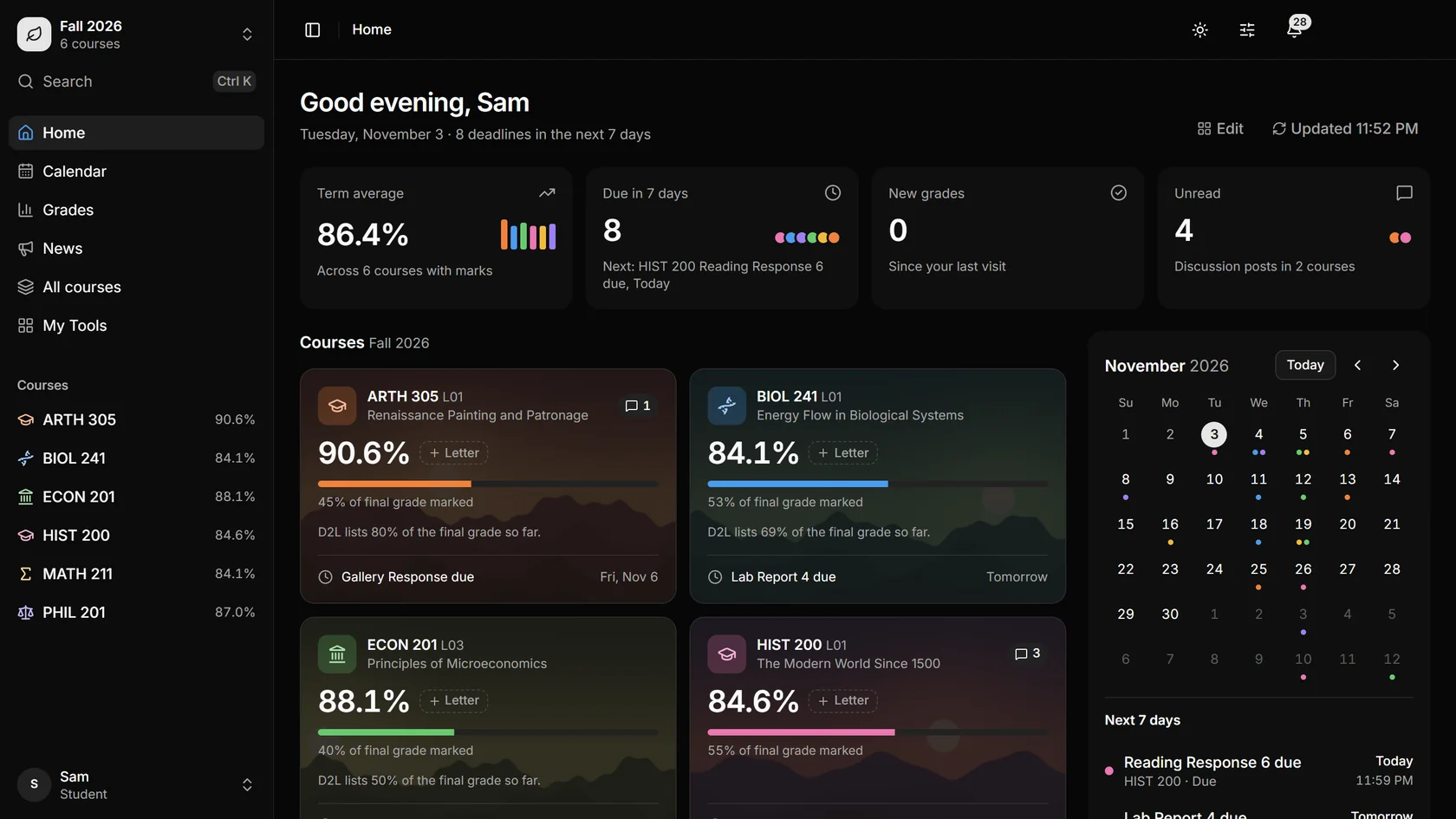
Everything you used to click for.
Your marks, what is due, what is unread and how much of each course is graded are all on the first screen, so you stop opening six courses to check one thing.

Every announcement, every course.
News from all your courses lands in one feed, newest first, with unread marked. Filter it by course or search it. You stop finding out on Friday what was posted on Monday.


Your grades. One click.
Term average, GPA and where every course stands, on one page. You see how much of each grade is marked, and estimates use marked work only.
Every page of every course, rebuilt.
Overview, Content, Assignments, Quizzes, Discussions, Grades and Class list all live in one tab bar. PDFs and PowerPoints open right there, so you stay in the page you were on.

Every deadline, already on the calendar.
Assignments, quizzes and exams show up by themselves, by month or by week, coloured by course. Add your own deadlines, or send the lot to the calendar you already use.


Yours, in any colour.
Twelve themes, or pick your own colour. Try one.
Also in there
Grade alerts. A notification when a new mark lands, while Chrome is open.
A Home you can move around. Press Edit and put things where you want them.
Classic view. The original site stays one click away.
Your marks go from your school to your browser, and stop there.
Dusk has no servers and no analytics, and you don't need an account. It uses the sign-in you already have, and it asks for nothing else. Read the privacy policy.
Questions
Does it work at my school?
Dusk runs on D2L Brightspace course sites. It was built and tested at the University of Calgary, and it switches on there by itself. At another school, click the Dusk icon once on your course site and allow it. Schools set D2L up differently, so a few pages may not behave the same way yet.
Is it free?
Everyone gets Dusk free until January 11, 2027. After that you get a free month, then it's C$15 a year. The first 200 students can pay C$19 once instead.
Is this made by D2L or my school?
No. Dusk is an independent extension. It is not affiliated with or endorsed by D2L or any school.
Can Dusk change anything on my account?
Only when you ask it to, such as marking a post as read. Everything else is reading what your school already shows you. You hand in assignments and take quizzes on the original pages.
Which browsers?
Chrome on a computer.
What if I want the old site back?
Press Classic view for one tab, or remove Dusk from Chrome and everything goes back to how it was.